Original Message:
Sent: 07-18-2024 13:12
From: Nelson Hays
Subject: Road Surface in TBC
I was told this feature was included in 2024.0 by accident. It has issues with WorksManager exports. Hopefully we will have dynamic, layered linework ready for export in the next release.
------------------------------
Nelson Hays
------------------------------
Original Message:
Sent: 07-18-2024 12:22
From: Wayne Welshans
Subject: Road Surface in TBC
I also just recently learned of this new feature. Additionally, if you now go to the corridor surface in the project explorer, it can now be expanded and the Surface Linework is an entity under the corridor surface. If you go to the properties of this you can change the layer the linework is stored on. And also it appears that if you change the layer, the linework is immediately relayered to the new layer.
Seems hard to believe that with all the pages of buzzword bullpoop Trimble uses to flout relatively useless new features that they wouldn't even mention this in the release notes.
------------------------------
Wayne Welshans
Original Message:
Sent: 07-14-2024 08:55
From: Dave Olander
Subject: Road Surface in TBC
Yep!!
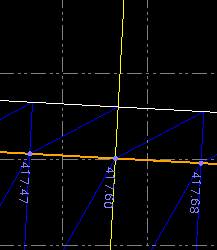
Here is a linestring from a completed corridor. The ES @ station 467+00 has an elevation of 417.40.
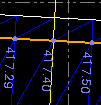
I added 0.20' to the profile elevation at that location, it recomputed and was 471.60 while I had the edit linestring command still open.
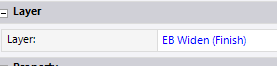
They are in a layer with the surface name (as they are when exploded):
Additionally, it appears to automatically include the breaklines when exporting the surface using the Corridor XML export:

The unlabeled breaklines are radial lines that get created at template locations. While this corridor is controlled by 1 template, I had to add several stations of reference templates to get the .rxl export correct.
If it didn't update automatically I would have been pretty disappointed, as that is a key reason to want to have it created automatically in the first place!! I agree change management is a bear when you explode items. Our main use case was to create FG surfaces with feature lines included, since that is what our contractors seem to like.
I've wanted this feature for years and I've been in the Beta group for about 10 years or so and never heard about it. I have also never seen it come up in a release notes. One of my staff members noticed it a few weeks ago and I have to think one of us would have seen it at some point if it had been there for a while, so I suspect it was added very recently.
------------------------------
Dave Olander
Original Message:
Sent: 07-13-2024 12:37
From: Adam Bower
Subject: Road Surface in TBC
Wait, does the Save linework option update the linework as your corridor adjusts? I loathe the idea of exploding anything and our team has a very short leash for anything we are allowed to explode. It's so easy to explode linework, then make a change and forget to delete and reexplode. Not to mention having to add those back to a surface or whatnot.
------------------------------
Adam Bower
Original Message:
Sent: 07-11-2024 07:25
From: Dave Olander
Subject: Road Surface in TBC
To create a boundary line, the included 'explode' in tbc will create linestrings at your corridor nodes. You don't need Rockpile for that.
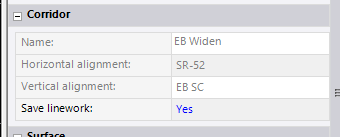
You can also just go to the corridor surface properties and choose "Yes" next to 'Save Linework". I don't know when this was added but it has been a feature I've wanted for a while.
------------------------------
Dave Olander
Original Message:
Sent: 07-09-2024 19:42
From: Francisco Guerrero
Subject: Road Surface in TBC
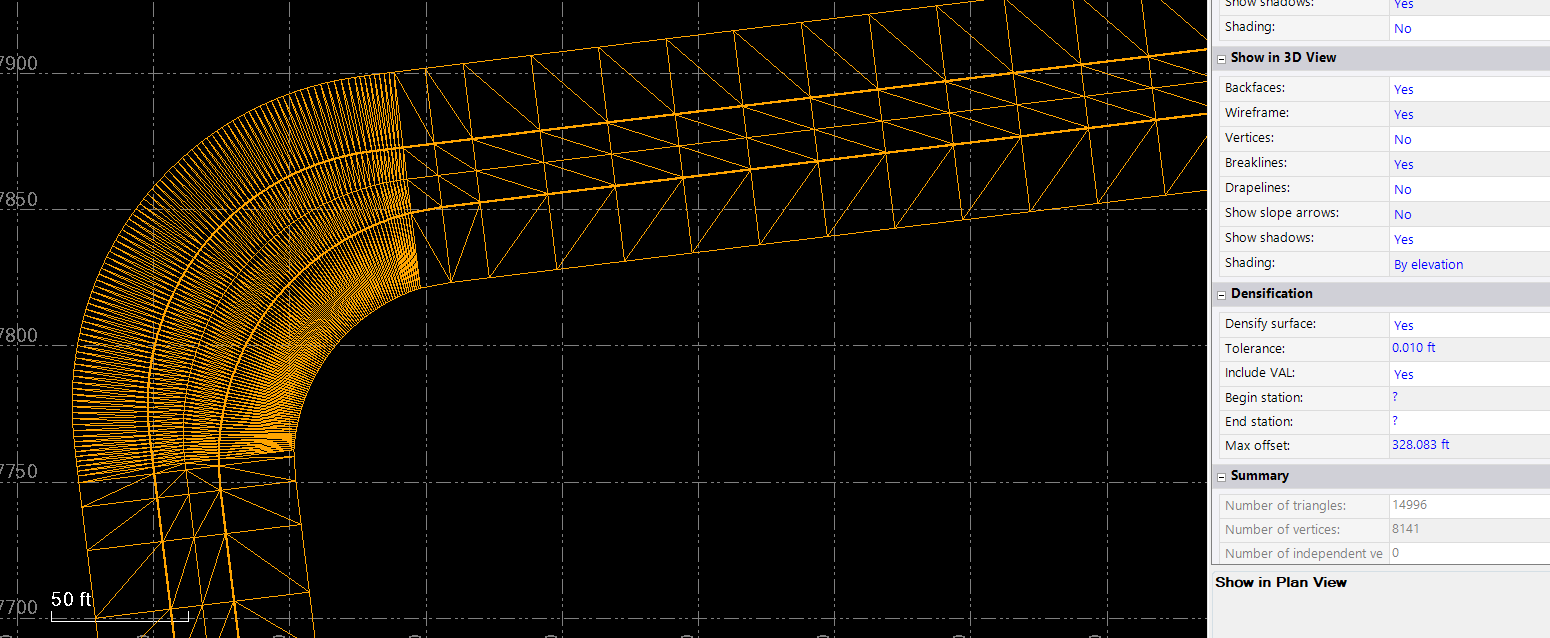
This could be done by using the proprieties of the template to change how far the surface extends. see image below. Another option could be to export surface as a DXF and reimport as 3D line or if you have RPS you could use their explode surface command
also, for the curved area use the densify surface option.

------------------------------
Francisco Guerrero
Original Message:
Sent: 06-23-2024 09:59
From: Nelson Hays
Subject: Road Surface in TBC
Trim Surface Edge command.
Or create an inner and outer boundary line. With 2 boundaries, the inner triangles will go away and not rebuild again.
------------------------------
Nelson Hays