I gave up and found a program called Geosetter. It takes 5 minutes and successfully created a KMZ with around 300 photos. Just put all your photos in one file, link it and export to google earth. TBC is great but not for this.
------------------------------
James Sutherland
------------------------------
Original Message:
Sent: 02-22-2024 09:39
From: Tex Barnett
Subject: Selecting ONLY points with Media File/Georeferenced Image linked to them
I built out a pic card report that only pulls points with a linked media file. Just highlight the Points heading in the Project Explorer before you run the report. The only downside is that it attaches every picture to the first point, then all the media files and points follow up. That means if your first point is 10000 and you have 10 pictures you will need to delete the first 10 pages to clean up the report. Hopefully I'll get around to fixing this problem one day.
------------------------------
Tex Barnett
------------------------------
Original Message:
Sent: 02-21-2024 22:11
From: James Sutherland
Subject: Selecting ONLY points with Media File/Georeferenced Image linked to them
The only solution I have found for this is to have field crew put IMG or PIC in the point description or something like that and export only points with that text. There is no way to only select points with media files. I have asked many sources.
------------------------------
James Sutherland
Original Message:
Sent: 04-29-2022 09:23
From: Scott Koffarnus
Subject: Selecting ONLY points with Media File/Georeferenced Image linked to them
I also find this extremely frustrating. We routinely have projects with thousands of points and a couple hundred that have photos attached. We also want to export a google earth file of just the points with photos and not all points. The only work around I have figured out is to include something in the code so advanced select will catch it. For example you can add "PIC" to the end of the code. Only problem is you need to make sure field crew adds your specific text to the code.
This should be easy to do without a workaround. Making a selection set or individually picking points from a list of thousands is slow, annoying and it's easy to miss one.
------------------------------
Scott Koffarnus
Original Message:
Sent: 04-29-2022 08:15
From: Josh Allwine
Subject: Selecting ONLY points with Media File/Georeferenced Image linked to them
I've tried all of those options and nothing seems to work. There isn't an option in the advance select for "media points" and when I try and select the point and the media icon "select similar" is greyed out....
------------------------------
Josh Allwine
Original Message:
Sent: 04-29-2022 07:49
From: Francisco Guerrero
Subject: Selecting ONLY points with Media File/Georeferenced Image linked to them
try out the advance select or select a point with media and then do select similar.
------------------------------
Francisco Guerrero
Original Message:
Sent: 04-29-2022 07:31
From: Josh Allwine
Subject: Selecting ONLY points with Media File/Georeferenced Image linked to them
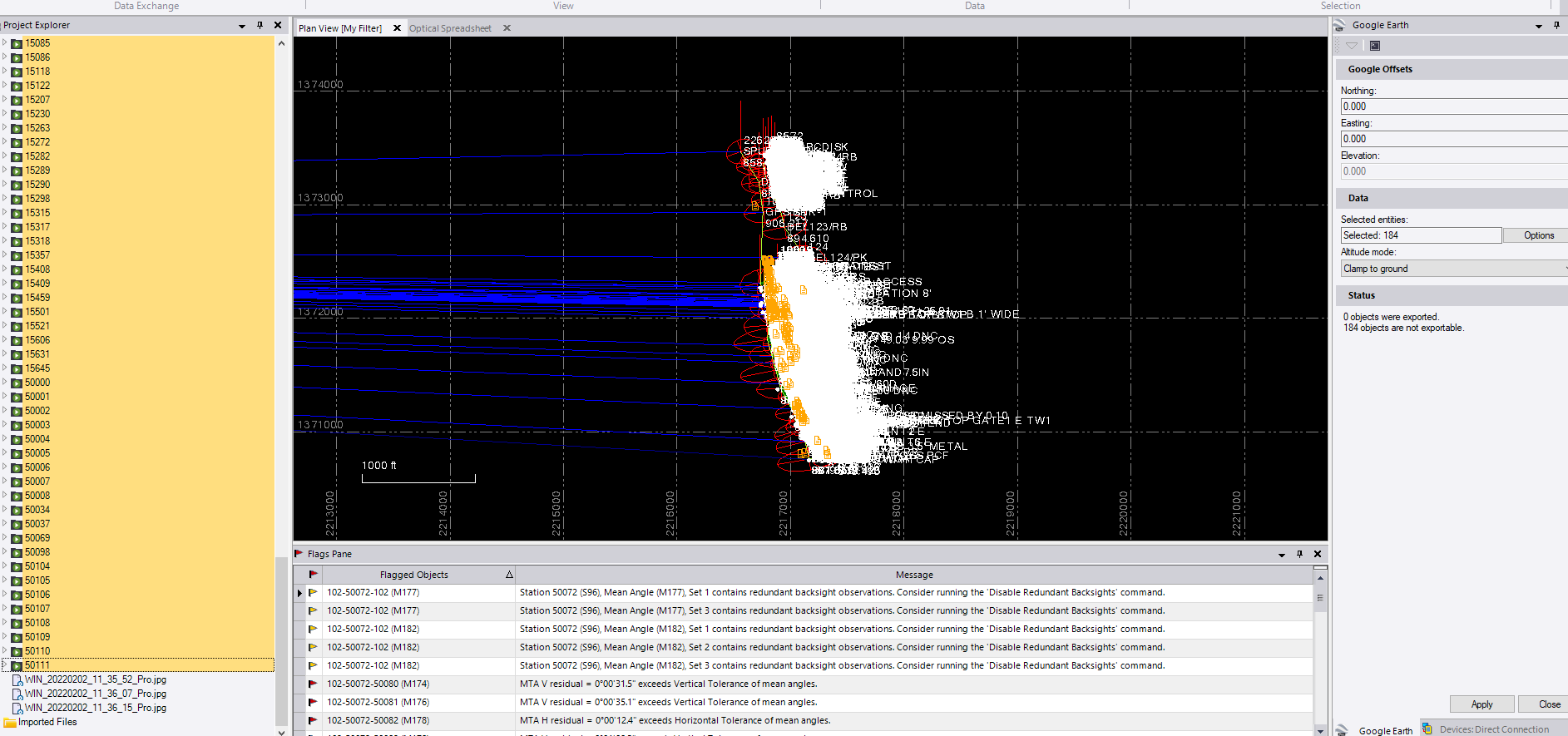
Yeah unfortunately only 184 of the points have pictures out of around 7,000 shots. It looks like I have to manually pick the points with photos attached....
------------------------------
Josh Allwine
Original Message:
Sent: 04-29-2022 07:24
From: Francisco Guerrero
Subject: Selecting ONLY points with Media File/Georeferenced Image linked to them
select all the points in the plan view. which will highlight the points and the media file. then try export to Google Earth.
fast foward to 9:30 mark
https://www.youtube.com/watch?v=EYDvg2ScFE8
------------------------------
Francisco Guerrero
Original Message:
Sent: 04-29-2022 06:59
From: Josh Allwine
Subject: Selecting ONLY points with Media File/Georeferenced Image linked to them
Yeah this is what it says...

------------------------------
Josh Allwine
Original Message:
Sent: 04-28-2022 14:09
From: Francisco Guerrero
Subject: Selecting ONLY points with Media File/Georeferenced Image linked to them
even when exported using the Google Earth command?
------------------------------
Francisco Guerrero
Original Message:
Sent: 04-28-2022 13:40
From: Josh Allwine
Subject: Selecting ONLY points with Media File/Georeferenced Image linked to them
Yeah I've tried that, but it really is only selecting the media file. I need to export the point AND media file to a kmz and when I do what you suggested it creates a 0kb file.
------------------------------
Josh Allwine
Original Message:
Sent: 04-28-2022 13:31
From: Francisco Guerrero
Subject: Selecting ONLY points with Media File/Georeferenced Image linked to them
in your "Project Explorer" there is a folder which only has points with media. choose points from that folder.
------------------------------
Francisco Guerrero