Hi Robert,
It seems that you stepped over the fundamental question I was trying to ask. Perhaps it was unclear, so I shall try again.
To be clear, I am well aware of the Job Report Generator (JRG) and I know how to use stylesheets to generate exports for sonar projects. I am not new to working with sonar data; I
can process that sonar data and generate useable results, I was not trying to say that it wasn't possible. My issue is with the
workflow for processing sonar data, which is
broken because you
cannot use TBC to process the JOB file directly as with every other type of data.
Consider this: how does the use of the JRG help if the JOB file's coordinate system settings or point coordinates need to be adjusted, modified, etc. so that they are consistent with the rest of your project?
I'll illustrate how this might happen with an example: imagine that you ran static observations on a pair of points and then occupied and backsighted those points before moving on to perform sonar data collection with a total station instrument on assumed coordinates/azimuth. Typically my next move here would be to post-process the static data in TBC to determine the final coordinates of my occupy and backsight points, then bring the total station JOB file into TBC with said coordinates so I can everything to match (merge points / delete the old grid coordinates, etc). I don't think anyone would argue that this is an uncommon workflow, and it's actually one of the most basic and trivial functions TBC is expected to perform these days. In fact, I think this was more or less the workflow that was promoted in the most recent TBC power hour.
However, the above-mentioned
workflow falls apart completely under this scenario because all of my sonar data is forever stuck in assumed coordinates since I can't bring it into TBC to adjust it. What do Trimble's experts recommend I'm supposed to do here?
So far, the only solution I know of is to post-process all of my data like normal in TBC, then export ALL of my sonar points as a CSV (
without depths), then also export all of said points using the JRG to get my depth values which then have to be linked and corrected using some Excel wizardry. Only after all of this can I actually use my sonar data, and the only trace of how I got there is a spreadsheet. This means TBC fails at one of its own core purposes if you try to use it for projects that include
any amount of sonar data:
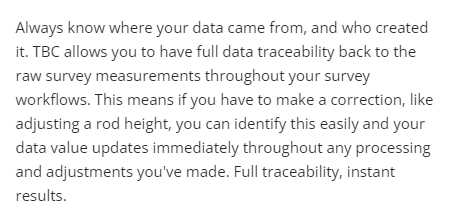 Screenshot from the main TBC product page on Trimble's website.
In any scenario involving sonar data TBC fails to provide the above-mentioned "full data traceability" and access to raw data functionality.
Also, to be sure we're all on the same page here, I am using:
- A brand new TSC5 with the most current version of Access/General Survey.
- All Trimble branded equipment purchased through an authorized dealer.
- The most current version of TBC.
- All software warranties are current.
- A sonar that is specifically supported by Trimble Access and rented directly from my authorized dealer (Seafloor System SonarMite).
In this case, I'm doing something that Trimble advertises and following along with every specific recommendation they have made on how to do it, but on their end the decision was made not to include support for this in their flagship field survey data processing platform. In my opinion, they should either stop advertising the ability to perform sonar data collection or provide a proper workflow to do it.
------------------------------
Scott Roberts
------------------------------
Original Message:
Sent: 02-10-2022 10:45
From: Robert Hoy
Subject: Support for SonarMite Data
You can run a JOB file that used a sonarmite, through a style sheet in TBC.
------------------------------
Robert Hoy
------------------------------