Trimble Business Center

 View Only
Expand all | Collapse all

Surface Export Error-Too Dense

  • 1.  Surface Export Error-Too Dense

    Posted 05-02-2023 10:50

    I've created a grading model using a provided site xml that I've exploded and used as contours to create my Finished Design and FD with subgrades adjusted.  However, when I try to export the machine control files I get the error that the surface is too dense.  I can export the subgrade surface as an xml but when I try to export it as a svd I get the error.  I've tried using the project cleanup to filter line vertices but the surface is made of lines and dots so it has not made a difference.    Is there any other way short of abandoning my exploded information to get this surface to export?  Maybe a way to convert a xml to svd?


    ------------------------------
    Ben Wall
    ------------------------------


  • 2.  RE: Surface Export Error-Too Dense

    Posted 05-03-2023 10:29

    I've ran into the same issue on a larger design file. Have not found a work around yet. Following this in hopes that someone knows how to fix the issue.


    ------------------------------
    Peter Grillot
    ------------------------------


  • 3.  RE: Surface Export Error-Too Dense

    Posted 05-03-2023 14:11

    Is this happening while your surface has too many vertices close to each other (wihtin mm) and hence way more vertices/triangles that it actually needs?

    Can you upload your surface here, or send me a private download link?

    I've got a beta stage macro that combines closeby vertices in TTM's. I could run a test with it.


    ------------------------------
    Ronny Schneider
    ------------------------------


  • 4.  RE: Surface Export Error-Too Dense

    Posted 05-03-2023 14:59

    Ronny,
    Give me a sec and I'll email you directly.    


    ------------------------------
    Ben Wall
    ------------------------------


  • 5.  RE: Surface Export Error-Too Dense

    Posted 05-04-2023 02:22

    I had a look at your data. There are a lot of places with vertices within 1-2 mm.
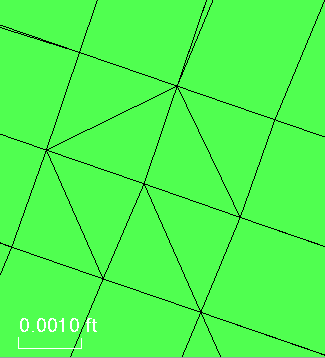
    Pretty much everywhere it is magenta in this screen shot.

    I couldn't always find linework that is close to those clusters. How did you create that surface, via site improvements or take off? I don't have a licence for the later.
    It's a bit unclear why there are that many clusters with closeby vertices and also, there are a lot of tiny spikes in your surface, which are most likely the main issue for the machine output error.
    That prevents it from being a one macro task since my DTM cleanup tool combines/average closeby vertices if they fall within a certain threshold. It would combine the vertices at the bottom of the spike and maybe the ones at the top as well, but the spike would persist and retriangulate occasionally across the road to some other vertices.

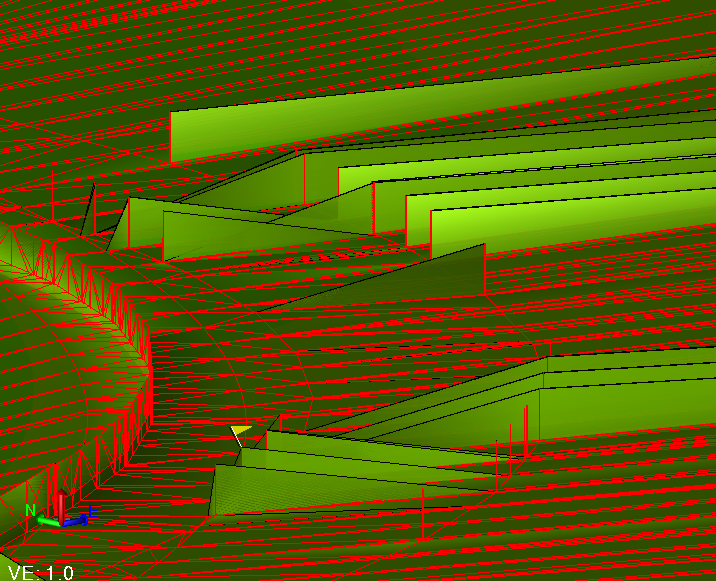
    As you can see from the red color, those spike are created from breaklines, computed by the site improvement? That's the reason we can't use the built-in Flatten Surface. You'd have to untick "include breaklines" and that would cause some of the near vertical steps to disappear as well.
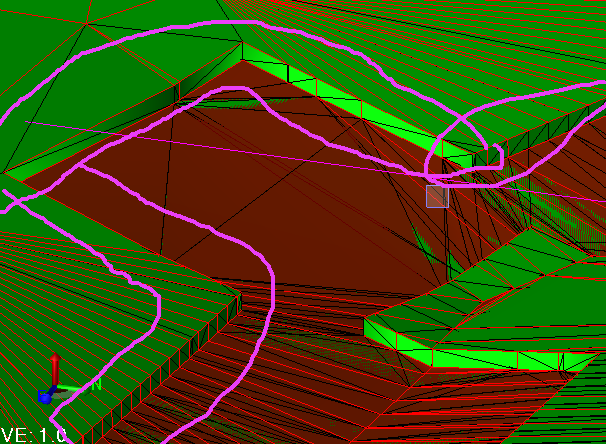

    So, I have to utilize another one of my macros. I export the surface as DWG, which converts it to 3D Faces. I then bring it either back into the same project or an empty one.
    Now I have separate triangles which I can test for their area.
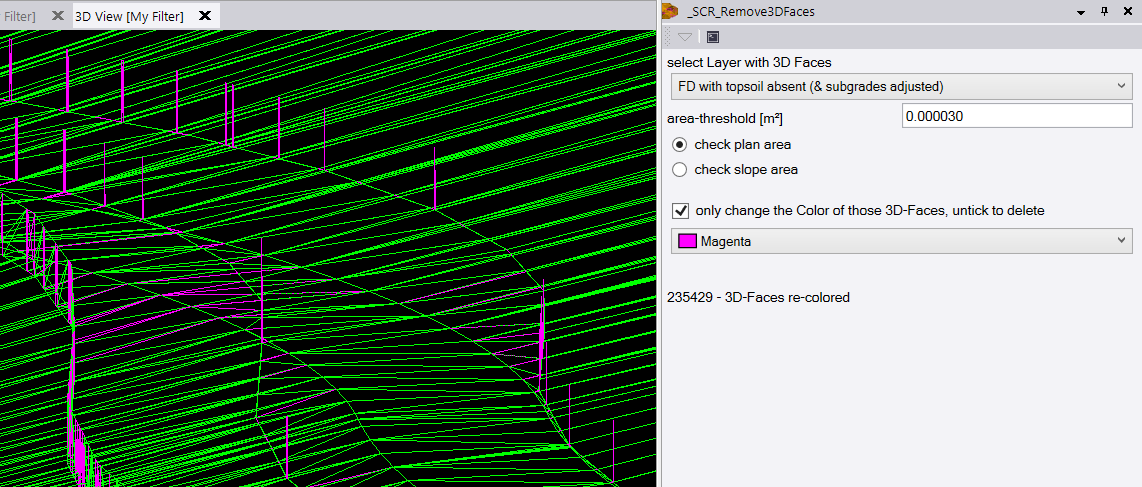
    We'll lose a few triangles on those vertical steps, but there should be enough information left to be retriangulated.
    The new surface created from those remaining 3D-faces does actually export to SVD, so I assume those vertical spikes were the main issue.

    But we can reduce the surface data by combining some of those closeby vertices with the second macro.

    Original - 484014 triangles - 245090 vertices
    spikes removed - 397144 triangles - 200470 vertices
    vertices combined - 149308 triangles - 76380 vertices

    I've uploaded the data to Dropbox, you'll get a separate mail for that.


    ------------------------------
    Ronny Schneider
    ------------------------------


  • 6.  RE: Surface Export Error-Too Dense

    Posted 05-04-2023 06:04

    Ronny,
    Thanks for the reply and your help. 

    To answer your question the standard OP was to create the Finished Design by raising lines to grade or here lately by exploding the xml surfaces provided by the design engineer.  From there I use the Identify Site Regions command to give the subgrade offsets required for the pavement thicknesses. The vertical spikes you refer to are where the subgrade offsets change thicknesses.  For some reason, the surfaces always spike up to the finished design before going back down to the proper subgrade depth.  I've brought this to the attention to Trimble in the past and was told it was normal behavior for TBC and that this was the best method for creating the subgrade models.  See link for the thread concerning this or you can search the topics for "FD w/ Subgrade Adjusted Boundary Asymptotes".  I was told by Alan that this was ok to do and I've employed this method successfully  for years.  This is the first project where this problem has come up.  

    If  there is a different method for offsetting to subgrade that I do not know about then this is news to me.  

    https://community.trimble.com/communities/community-homepage/digestviewer/viewthread?MessageKey=9cdc3e5b-57fd-4e04-bdf5-e508582d5a73&CommunityKey=d961b046-1661-40f3-8d7e-0bde6866a14d#bm9cdc3e5b-57fd-4e04-bdf5-e508582d5a73 


    ------------------------------
    Ben Wall
    ------------------------------


  • 7.  RE: Surface Export Error-Too Dense

    Posted 08-06-2024 06:26

    Hi Ronny

    I have a very similar problem to Bens. Is it possible to get the Macro to rectify. I am out of ideas, short of a very manual and time consuming process. Thanks 


    ------------------------------
    Ian Hitsert
    ------------------------------


  • 8.  RE: Surface Export Error-Too Dense

    Posted 08-06-2024 10:52

    Ian,

    I eventually got it to work but I had to abandon the surface created by the exploded xml.  I instead used the Create Breakline command and snap to create 3d polylines by snapping to the exploded xml surface lines that I already had.  In my case, I had to manually digitize a center line, edge of pavement, CL of ditch and top of slope.  It was painful and slow but it worked.  I used these corridor lines to create the surface and earthworks accepted it.   Another idea I had was to use the 2D lines provided by the engineer and drape them over the xml surface creating 3d polylines.  Not sure of the results but probably worth a shot.  

    If you have civil 3d you can go in and edit the corridor model frequency to reduce the density prior to sending to TBC but that would be cheating.  ;)

    Good Luck!


    ------------------------------
    Ben Wall
    ------------------------------


  • 9.  RE: Surface Export Error-Too Dense

    Posted 08-06-2024 15:57

    Hello Ian,

    either download the whole public compilation from my GitHub page RonnySchneider/SCR_Macros_Public (github.com).

    Or attached two standalone versions without the help files.

    The standalone versions need to be unzipped anywhere in "C:\ProgramData\Trimble\MacroCommands3".

    For the GitHub repo you'll need to follow what's shown there in the instructions a bit further down on the page, the folder structure must look like it's shown there.


    ------------------------------
    Ronny Schneider
    ------------------------------

    Attachment(s)

    zip
    SCR_DTMCleanup.zip   10 KB 1 version
    zip
    SCR_Remove3DFaces.zip   8 KB 1 version


  • 10.  RE: Surface Export Error-Too Dense

    Posted 05-03-2023 14:55

    Wanted to add something.  I just tried to export a surface model created using nothing but the contour lines (at 1' intervals) as a rough grade surface to get the field guys going while I figure this out.  It too would not export and I got the same error message that the surface is too dense.  Not sure how I can get any more basic than a contour created surface model, and this seems to point to a problem other than the exploded data used to create the surface.  


    ------------------------------
    Ben Wall
    ------------------------------