I'll send you a private message with some details.
Original Message:
Sent: 12-11-2024 04:11
From: steve schuler
Subject: Templates
@Ronny Schneider "On top of all the other shortcomings/annoyances/bugs in the program. Due to the lack of Trimbles efforts to fix bugs and improve the absolute basic functionalities I'm currently investigating the competition." We've been saying it for years... What are you investigating? Civil 3D or something else? If Civil 3D had a good 3D visualizer I'd use it much more. I recently looked at Agtek and was less than thrilled... Thanks for all you do for us Ronny.
------------------------------
steve schuler
------------------------------
Original Message:
Sent: 11-11-2024 14:50
From: Ronny Schneider
Subject: Templates
No problem. And as I mentioned before, from looking at your first screen shots I would have expected it to work, ignoring the issue with the switched reference node at that point.
I'd say this is some kind of bug. I'll forward it to our dealer. Trimble needs to improve and rework the corridor editor anyway, ASAP. That thing is pretty much unchanged since years. On top of all the other shortcomings/annoyances/bugs in the program. Due to the lack of Trimbles efforts to fix bugs and improve the absolute basic functionalities I'm currently investigating the competition. They have quite some shortcomings as well, but I'm utterly impressed with their corridor editing/creating.
------------------------------
Ronny Schneider
Original Message:
Sent: 11-11-2024 05:11
From: joe griffiths
Subject: Templates
Good morning Ronnie, many thanks for forwarding again i see that the 'fakematerial' is independant from all other materials made up by the connection, it all looks spot on and working as i wished ! I would never have had thought to include that for it to figure the transitions out. thanks for all your help its appreciated.
------------------------------
joe griffiths
Original Message:
Sent: 11-10-2024 15:49
From: Ronny Schneider
Subject: Templates
I had a look at your last file and fixed the "down" side for you. I'll send you a copy of the file, I've used 5.90.1
This works for instance. You'll have to set it in all templates.
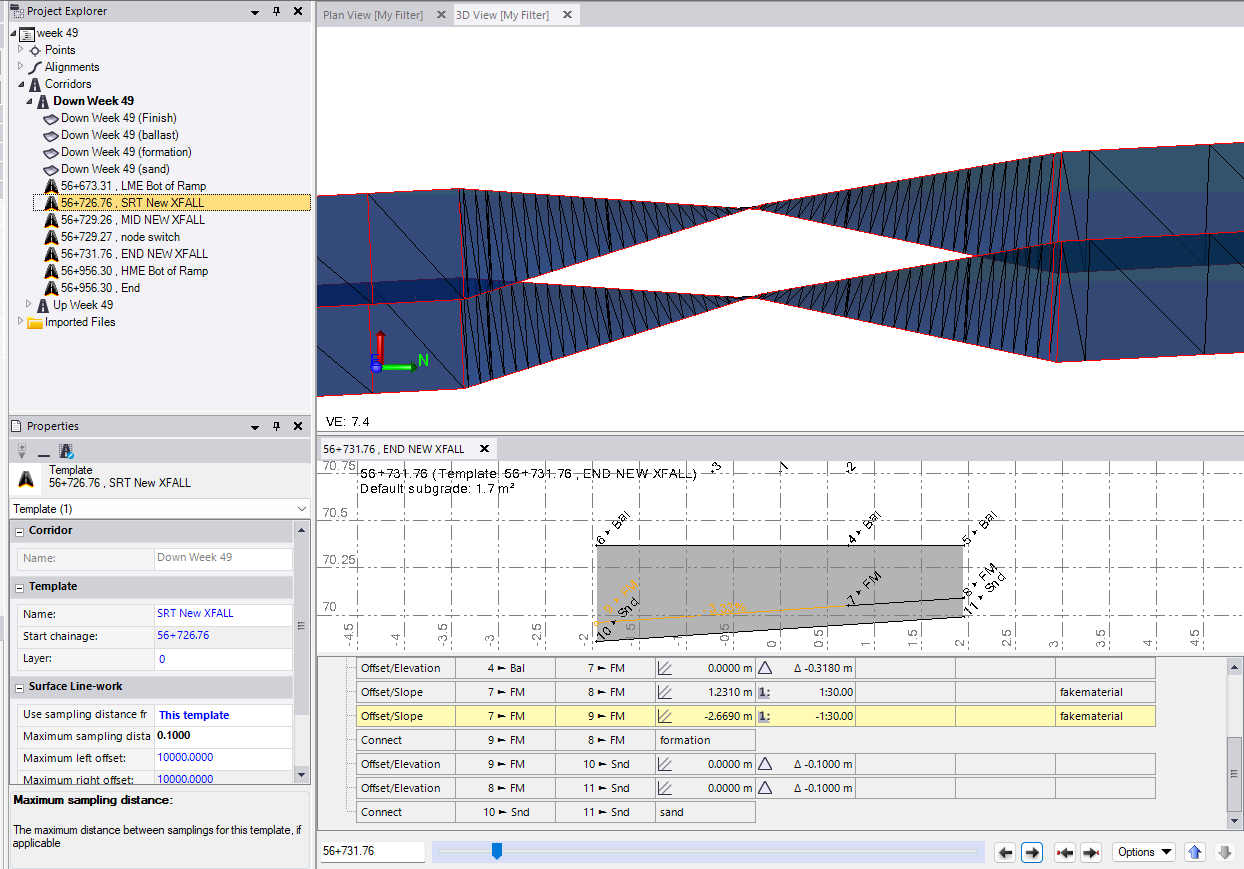
Or this, changed in all templates
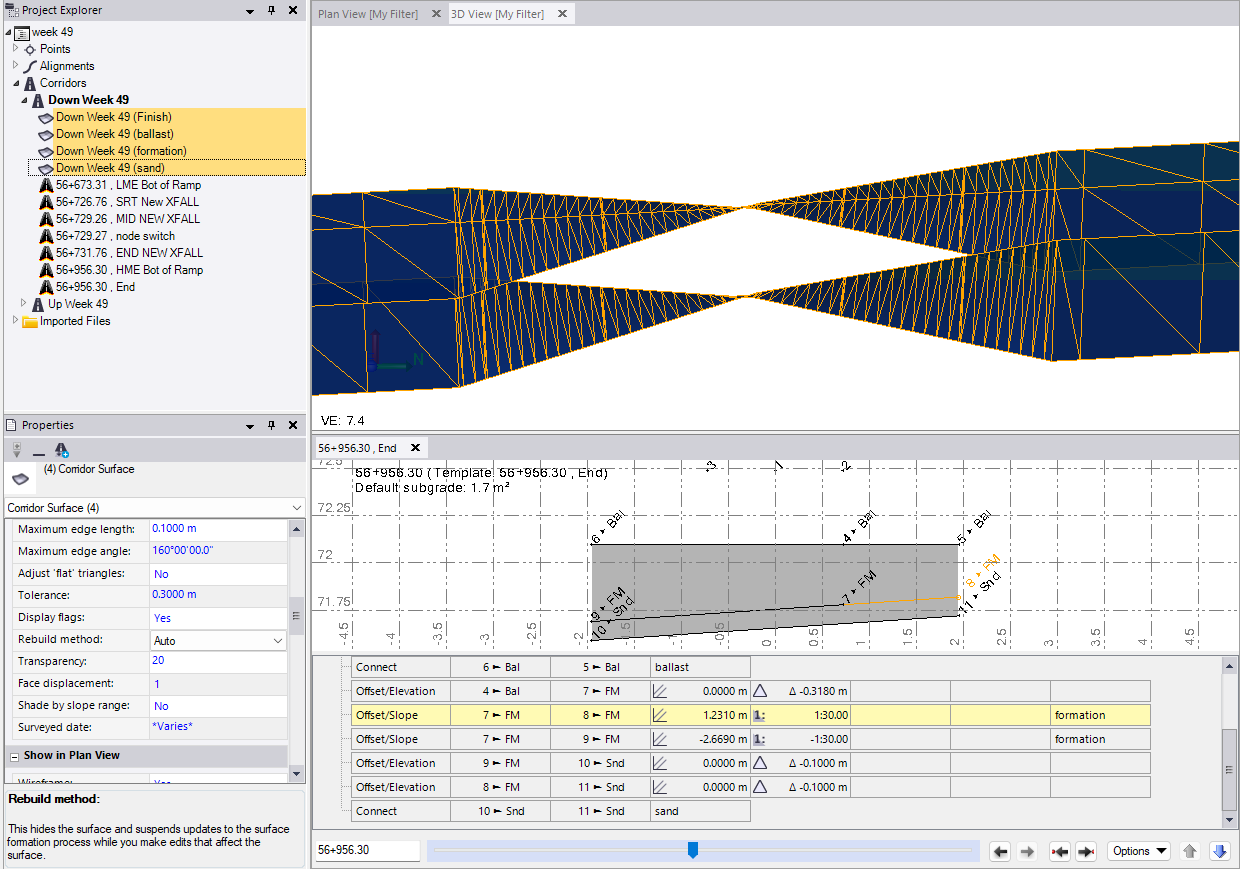
------------------------------
Ronny Schneider
Original Message:
Sent: 11-08-2024 07:16
From: joe griffiths
Subject: Templates
hmm thats odd thats worked for you Ronny, as mine isnt displaying correctly after following your instructions, ive sent a new file. i will have a go today at the tabled way that eric said, although i do think there is something 'buggy' going on as i feel like this should be a pretty straightforward task for this software. i think im going to request an update for the software and ill see if its doing the same. Trimble buisness Center has been a humbling experience so far!
------------------------------
joe griffiths
Original Message:
Sent: 11-07-2024 21:44
From: Ronny Schneider
Subject: Templates
There seems to be something fishy with the Offset/Slope transition computation if you don't set a material.
Because the following works as well. Just set the offset/slopes to any material for which you don't even create a surface, but the connect nodes will suddenly transition properly.

------------------------------
Ronny Schneider
Original Message:
Sent: 11-07-2024 18:16
From: Ronny Schneider
Subject: Templates
There are two issues.
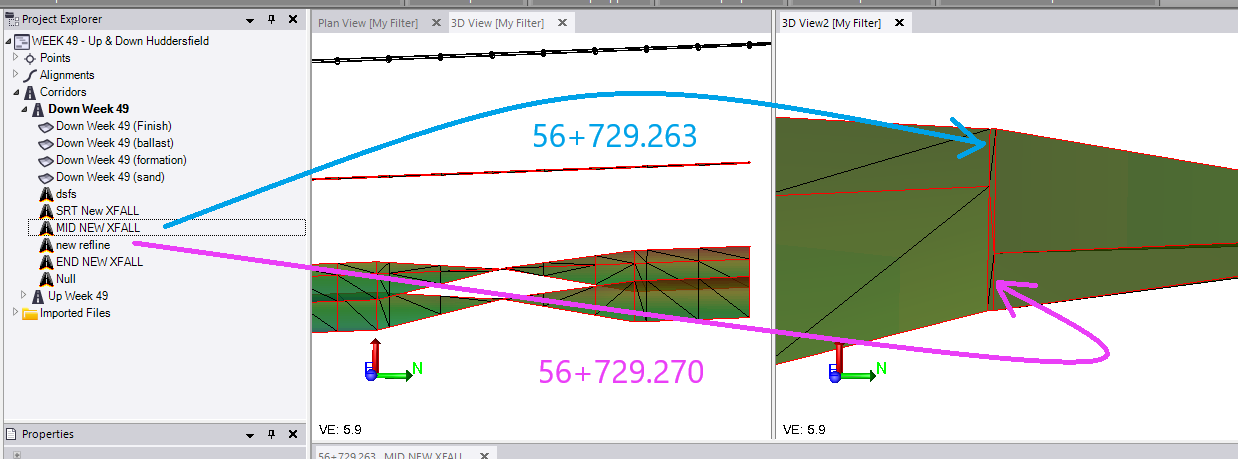
Your node 4 changing its reference from stringline 2 to 3 and hence your offsets that you base on that node would have to decrement.
The trick here is to add another zero-slope template just after the first one (even if it's just a mm), but with the new node definition
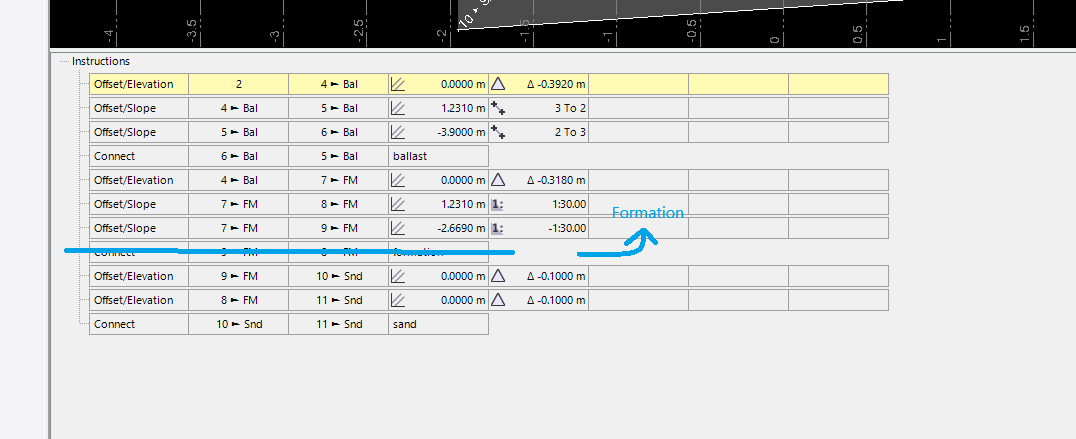
The other issue is the direct connection between node 8 and 9 (and 5 and 6). It somehow won't transition properly. I assume it has an issue if both nodes of a connect instruction change at the same time. It works for the sand though. Need to contemplate and test a bit more if this can be considered a bug.
I'd completely get rid of the "connect" instruction and would just set the material in the instruction above, where you compute those points.
------------------------------
Ronny Schneider
Original Message:
Sent: 11-07-2024 14:12
From: Erik Petersen
Subject: Templates
Just hold shift+ctrl and drag and drop it in and it will open. I just opened it in 5.9
------------------------------
Erik Petersen
Original Message:
Sent: 11-07-2024 11:38
From: joe griffiths
Subject: Templates
Thanks Erik Peteren for sending the file, unfortunatly i am on version 5.90.1 and i cannot open anything newer than that version.
------------------------------
joe griffiths
Original Message:
Sent: 11-06-2024 10:37
From: Erik Petersen
Subject: Templates
https://rackstation.whitcon.us:5001/sharing/n63TXlo67
Here is an example of what I mean by using tables
What are the 2/3 Nodes in your corridor?
------------------------------
Erik Petersen
Original Message:
Sent: 11-06-2024 08:24
From: joe griffiths
Subject: Templates
Thanks Erik and Ronny for a response to this.
Ive refered back to a manual and it does appear that the imputs are correct. Erik when you say to make it all in one template, will that stationing instruction ensure that the surfaces are different as the formation transitions along from Right to left to right.
Ronny let me add more screen shots for this.
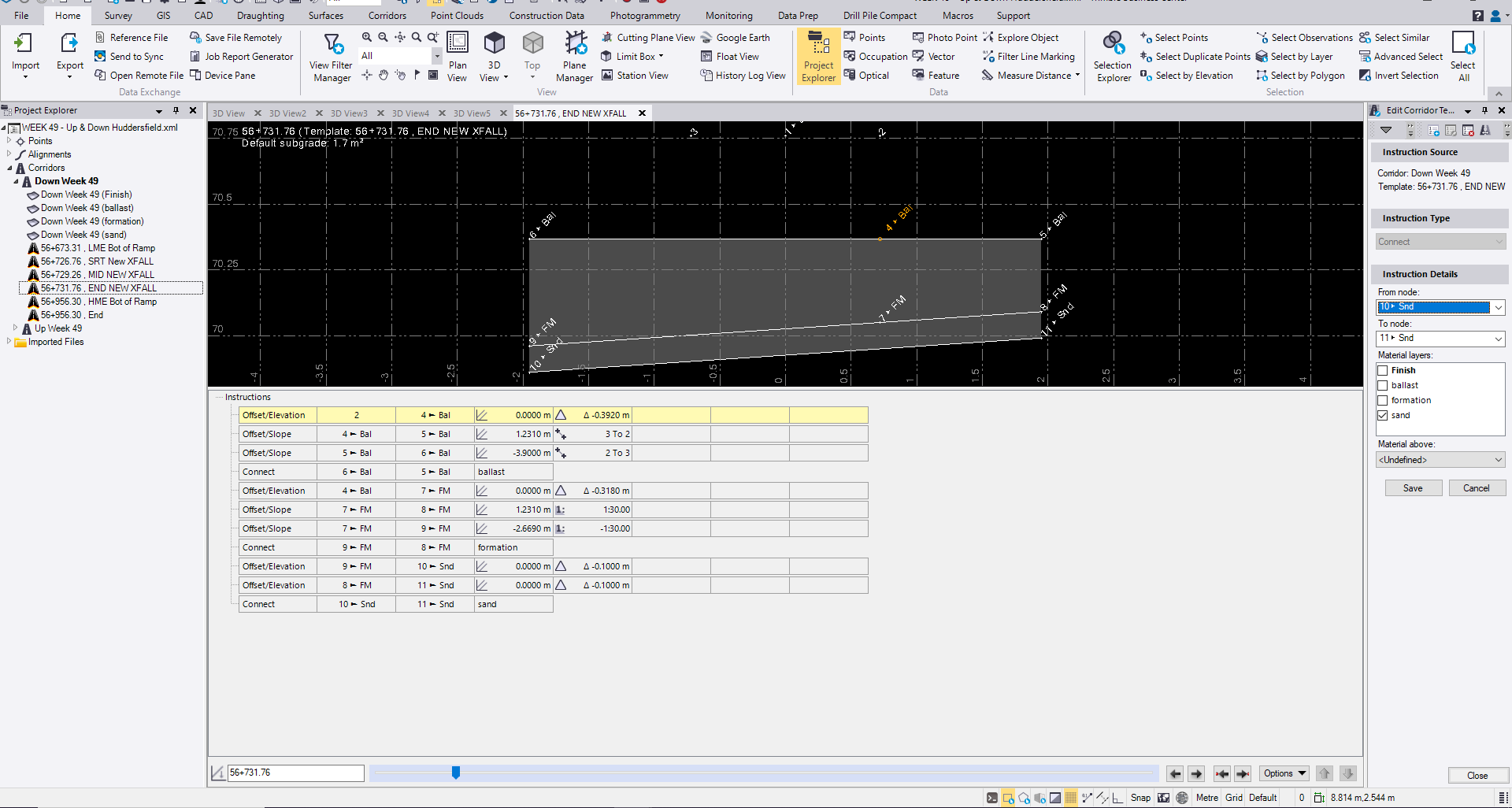
so the start of the formation is a 1:30 crossfall to the right hand which transitions over a 5m length to the left hand side. The width of the ground works remains at 3.9m througout. i expected this to be a smooth transition interpolated between the two templates and found it to be irregular. As below it looks like there are areas of abrupt and subtle formation change.
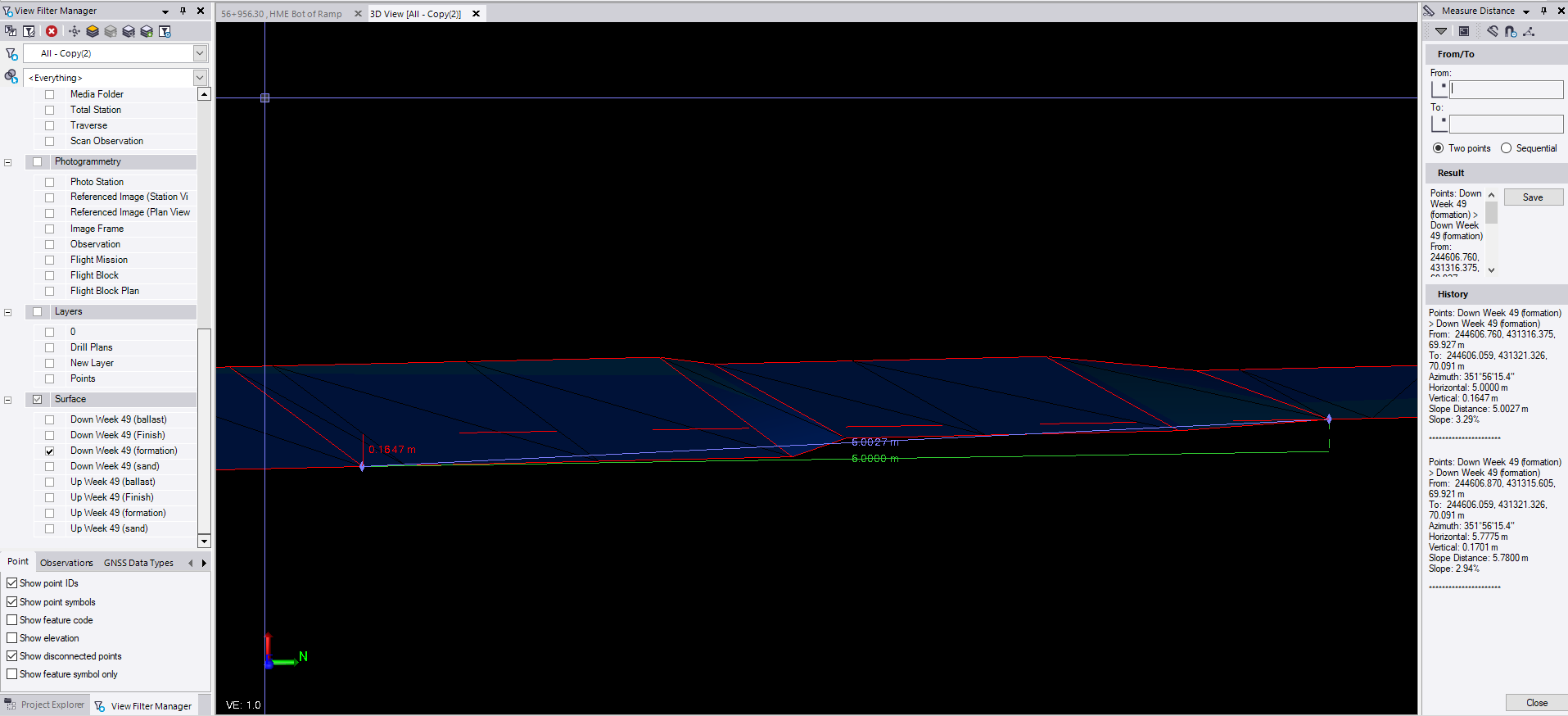
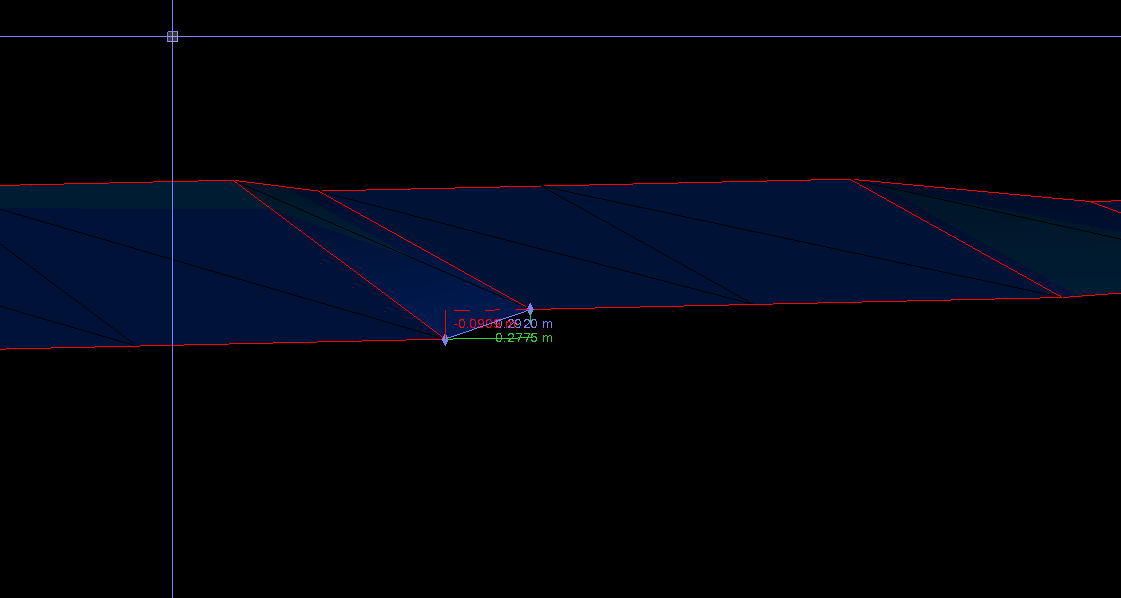
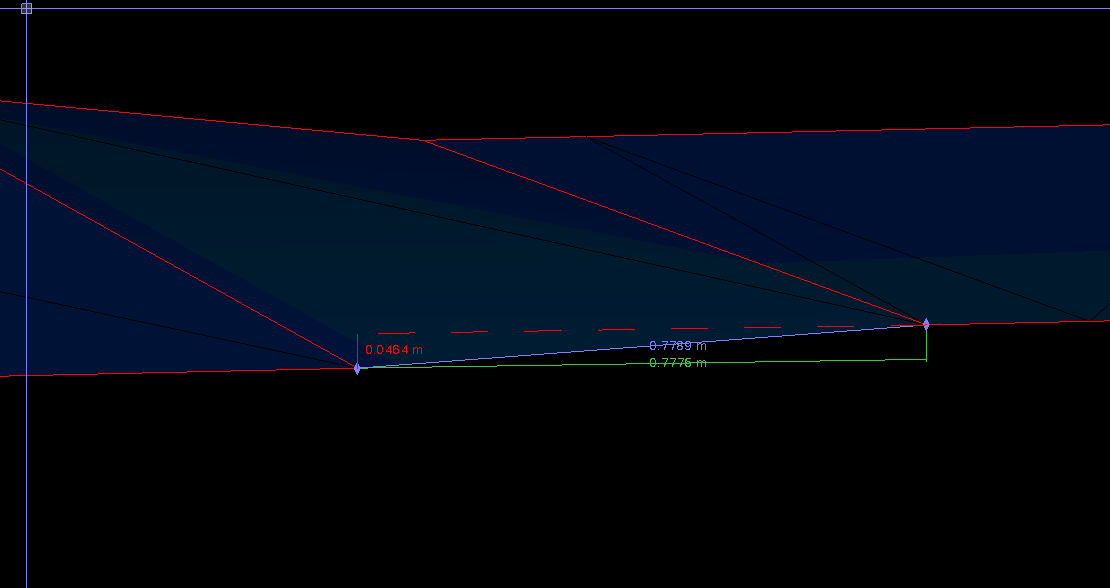
Start formation is falling to the right side template is as below 1:30 xfall gradient.
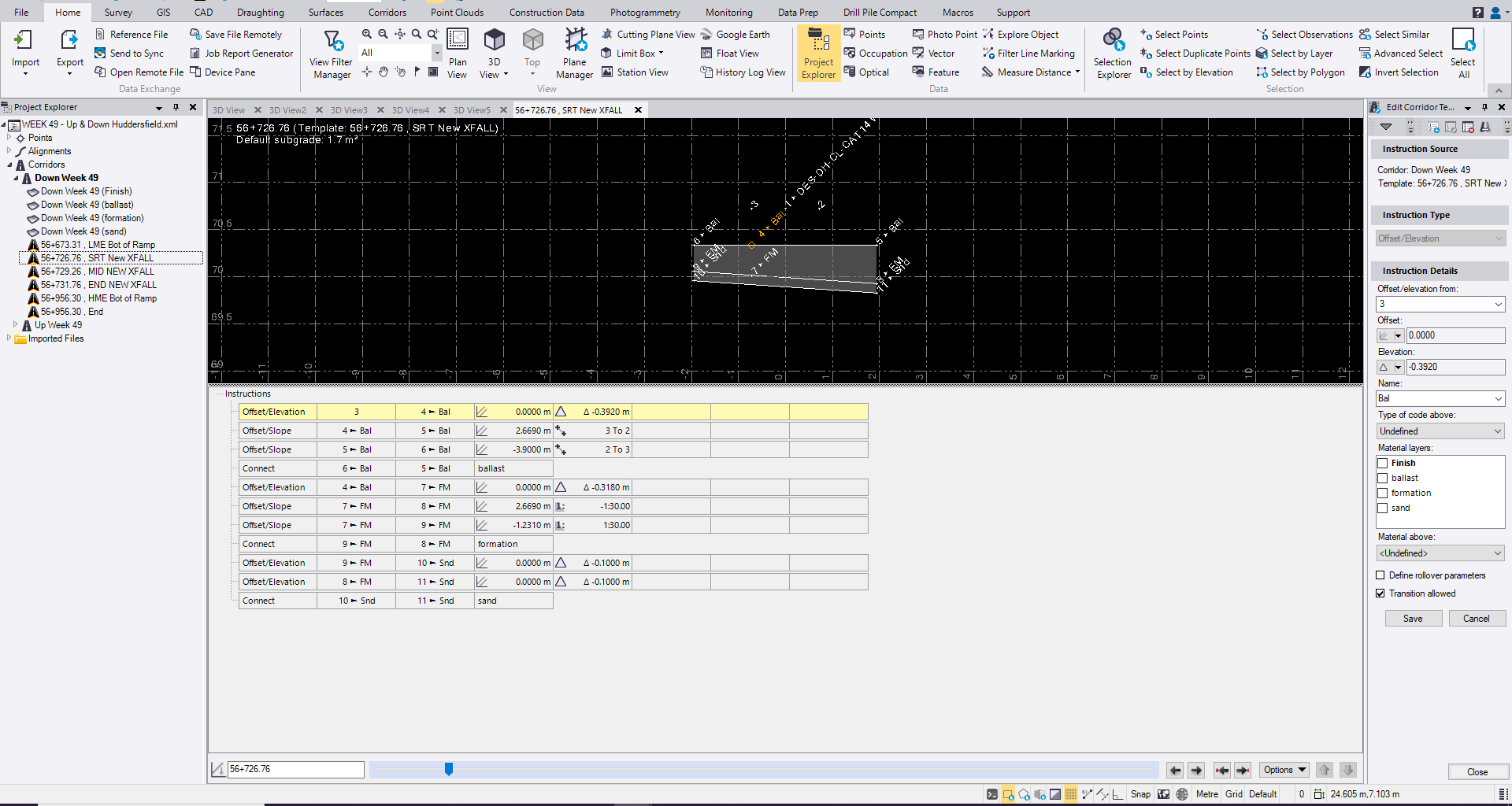
This then transitions over 5m to a 1:30 crossfall to the left hand side.
as below
------------------------------
joe griffiths
Original Message:
Sent: 11-05-2024 08:05
From: Erik Petersen
Subject: Templates
Try making it all in one template and using offset/slope and change the elevation instruction to a table and do it my stationing
------------------------------
Erik Petersen