We use cookies to personalise content and ads, to provide social media features and to analyse our traffic. We also share information about your use of our site with our social media, advertising and analytics partners.
Learn more
Accept Cookies
Skip to main content (Press Enter).
Sign in
Skip auxiliary navigation (Press Enter).
Terms and Conditions
Skip main navigation (Press Enter).
Toggle navigation
Home
Communities
My Communities
Distributor Communities
Public Communities
User Groups
Participate
Help/FAQs
Getting Started Guide
Advanced Tutorial
Communities
Community Home
Threads
Question Thread View
Trimble Business Center
Community Navigator
View Only
Community Home
Threads
18.1K
Library
1.3K
Blogs
384
Events
0
Members
2.9K
Back to {0}
Change surface elevation color scheme?
Jump to
Best Answer
Thread closed by the administrator, not accepting new replies.
Add a tag
x
User Tags may not contain the following characters: @ # $ & :
Tylor Foster
posted 02-02-2023 11:05
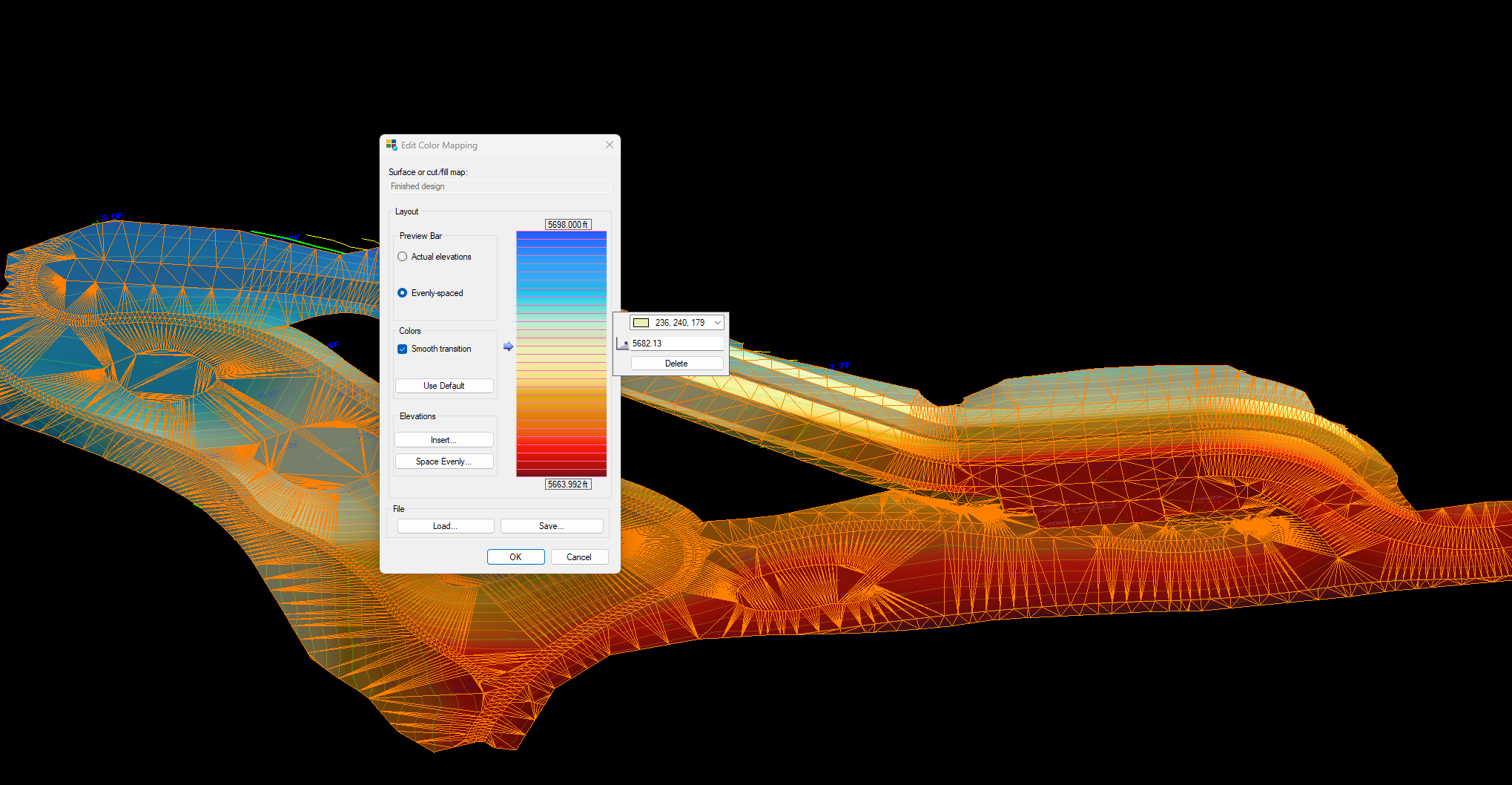
Is there a way to change the surface elevation color shading by elevation in 3D?
The default is blue through green to red. I am wondering if this can be changed?
Erik Petersen
posted 02-02-2023 12:54
Best Answer
Just lick on the surface and choose color mapping in your ribbon just like you would a cut/fill map.
Copyright 2023. All rights reserved.
Powered by Higher Logic