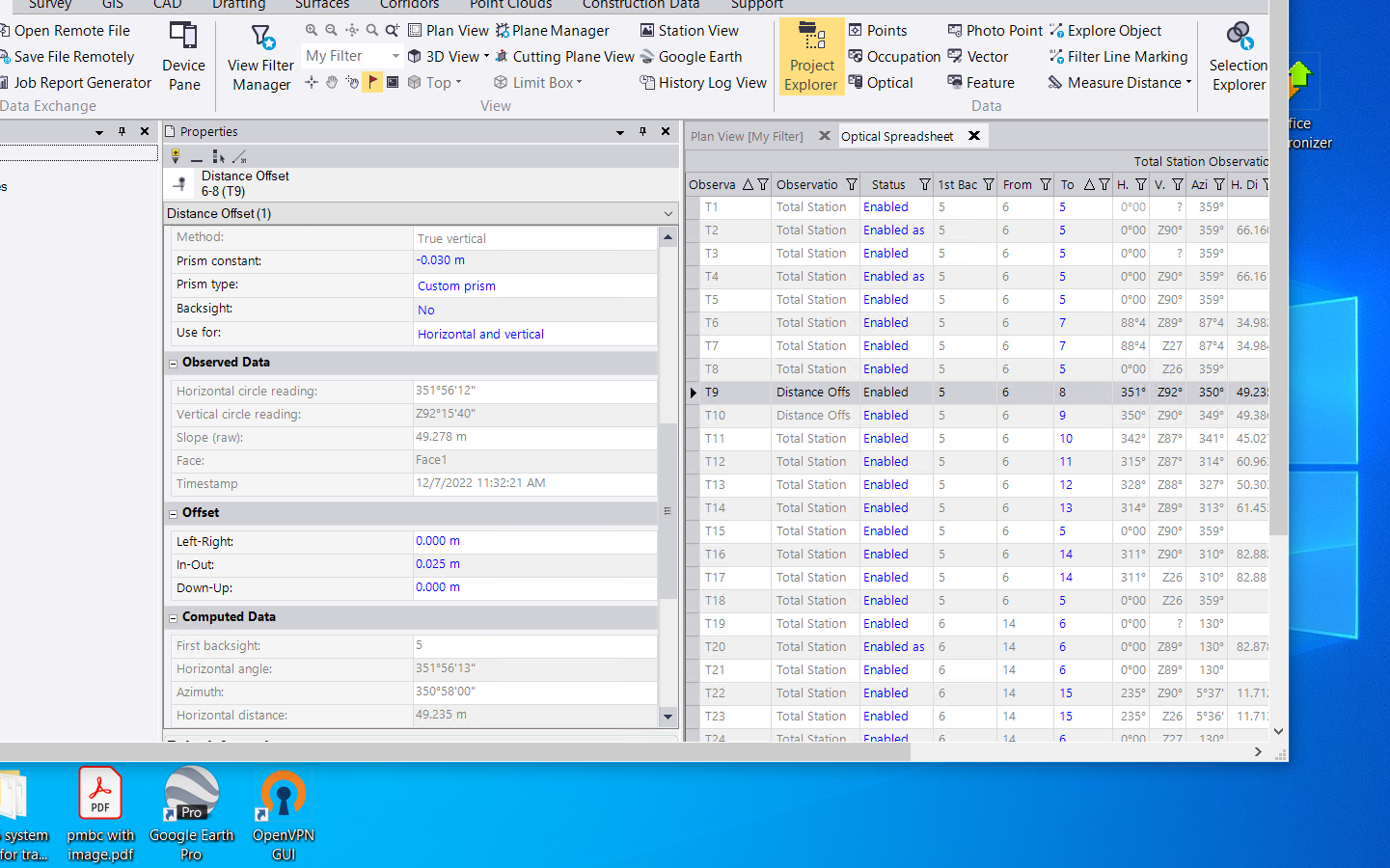
i am not very familiar with tbc reports, but i would use the optical spreadsheet. if you change the settings for the optical spreadsheet: settings cog/view/optical spread sheet/observation type toggle to show. then you should see what kind of observation was used for the shot. total station observation is a regular angle/distance, and in my example there are some distance offset shots. you can click the top column and organize by observation type too.
but, what is lacking is easy functionality to change them to angle distance shots.
i wish that all fields were editable in tbc, this would give us the power to fix these problems quickly. i only know how to do yours manually. once you have them organized(might be better to run through them sequentially to find when the problem started), then you would have to open the properties and zero the offset(as shown on the left in my example).
you can also use 'select observation' to highlight them all by observation type, but without pinpointing the exact ones you need this might or might not be too helpful.