Trimble Business Center

 View Only

 Drafting Queries

Barney Brotherhood's profile image
Barney Brotherhood posted 09-10-2024 02:42

A new question regarding Profile Table for Plan/Profile sheet.

  1. Chainage clash where a design RL (on an alignment) falls on a chainage very close to a round number chainage. The two lines (and associated text) converge in the profile table and are therefore difficult to read. My understanding is that TBC should draw in a 'kinked' line to offset the non-round chainage line to one side so it can be read - the cross sections seem to do this, whereas the profile edit doesn't (see images below). Wondering whether I've missed a setting here please?
Profile no kinks
Xsec with kinks
Ronny Schneider's profile image
Ronny Schneider

That's another TBC bug as it looks like.

Check the text style you're using. If you're using sheet units and set it below 4 mm or so, it won't work. I assume some rounding is kicking in.

Text style at 4 mm sheet units works
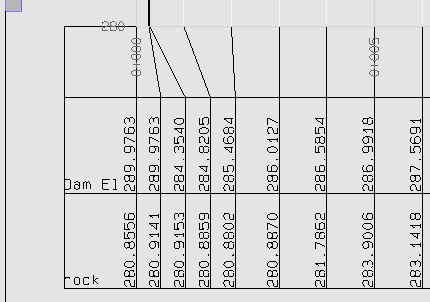
text style set to 3 mm at sheet units doesn't
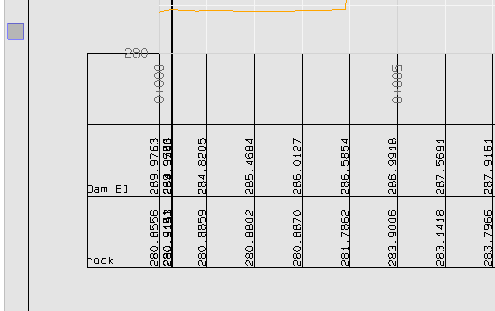
It does work if you don't rotate the labels
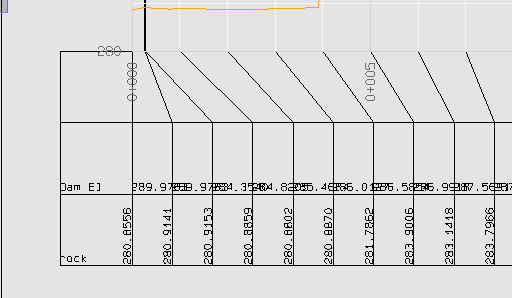
Now the text style set to ground units at 0.002
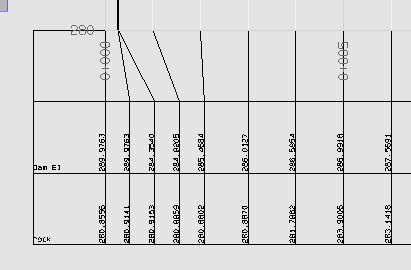
Every day we raise again to the challenge that is using Trimble products.