On GCS900 you only need the SVD/SVL.
Do they look correct when you drag them into an empty TBC project?
Are you uploading via USB-Stick or Worksmanager?
If you use a stick, can you provide a screenshot of the folder structure and filenames, i.e.:
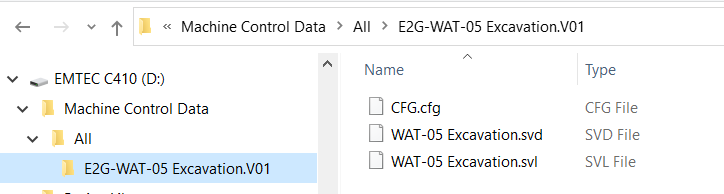
Also the content of the All Folder.
Can you upload your "faulty" design files here?
The error only appeared after you uploaded this specific design to the machine?
I guess the background plan file refers to the Sitemap that is shown as static image behind the design linework.
If you plugin the USB-Stick into the CB460 (probably you need manager mode enabled) and click the bottom button for Advanced, then go to delete files and see how many "SiteMap.svl" you've got there. Delete for a test all of them and see if the error is gone. I'm no fan of the sitemap anyway, I always advise to put all linework into the design.