Hi Zach,
In TBC a Boundary is created as a Polyline - so that's why it exports that way. It's a bit confusing admittedly as the Command tool suggests you are creating a Polygon (but really it just closes the Polyline), so it isn't really a Polygon at the Feature level. Providing an elevation is an option for a Boundary too. Whereas it's required when creating a Polygon using the Create Polygon option in the CAD/Linestring/Polygon tool.
The purpose of the Boundary in TBC isn't really for GIS data creation:
Use the Create Boundary command to:
- Create a 2D boundary to delineate a portion of a surface. This is useful if you do not want to send an entire surface to field device firmware; it enables you to include a smaller surface model with your design data. The boundary clips the surface to include only the surface triangles encompassed or crossed by the boundary.
- Identify the extents of a job site/project or specific sections within it.
|
The Create Polygon tool is all that I can see that will give you what you need (creating a Polygon that you can then export to GIS as a Polygon feature), and you could use a Feature Definition (FXL) if needed. Hopefully that helps.
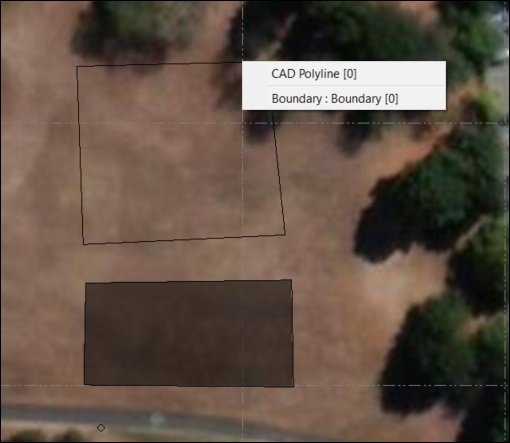
Here you'll see that the Boundary I created from a CAD Polyline is still just a Polyline. But below it I created a Polygon using the Create Polygon Command.