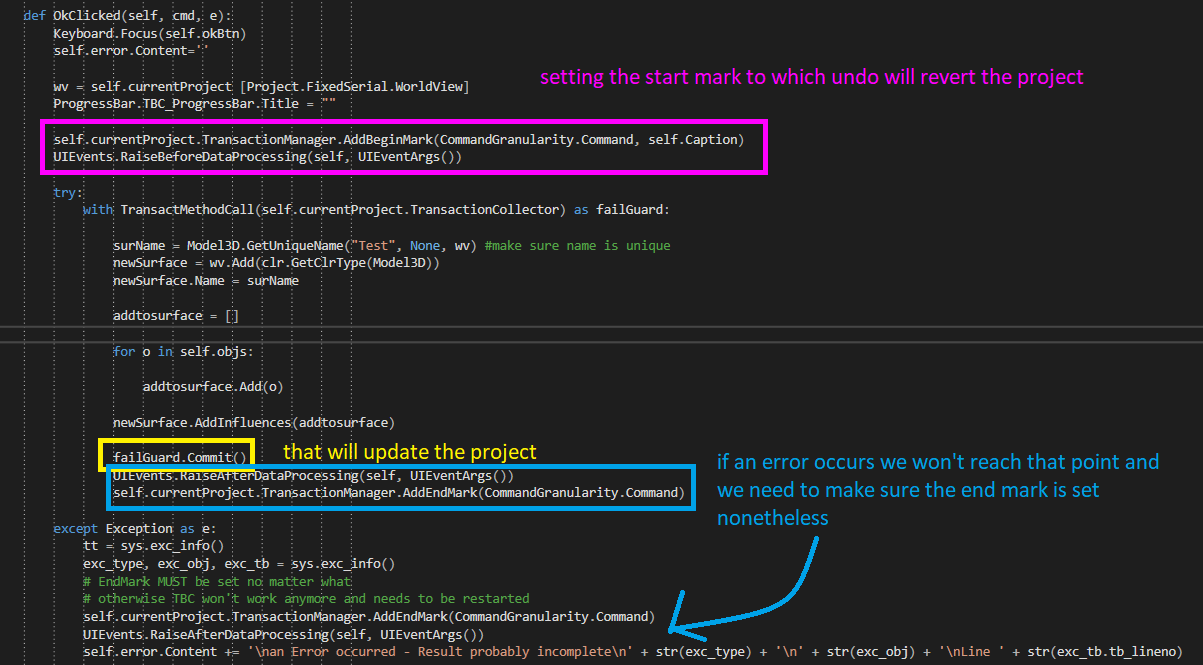
Is been shown in a few of the sample macros. With the following code the project is updated and you can Undo step by step.
That's my improved version that will make sure that the end mark is set correctly. Otherwise the project explorer "crashes", is empty and you'd have to restart TBC.
It also writes debug information (error type, line number) into a label that's at the end of each of my macro GUI's.
self.currentProject.TransactionManager.AddBeginMark(CommandGranularity.Command, self.Caption)
UIEvents.RaiseBeforeDataProcessing(self, UIEventArgs())
try:
with TransactMethodCall(self.currentProject.TransactionCollector) as failGuard:
failGuard.Commit()
UIEvents.RaiseAfterDataProcessing(self, UIEventArgs())
self.currentProject.TransactionManager.AddEndMark(CommandGranularity.Command)
except Exception as e:
tt = sys.exc_info()
exc_type, exc_obj, exc_tb = sys.exc_info()
# EndMark MUST be set no matter what
# otherwise TBC won't work anymore and needs to be restarted
self.currentProject.TransactionManager.AddEndMark(CommandGranularity.Command)
UIEvents.RaiseAfterDataProcessing(self, UIEventArgs())
self.error.Content += '\nan Error occurred - Result probably incomplete\n' + str(exc_type) + '\n' + str(exc_obj) + '\nLine ' + str(exc_tb.tb_lineno)
------------------------------
Ronny Schneider
------------------------------
Original Message:
Sent: 02-07-2023 15:17
From: Morteza Kiani
Subject: How to Create Surface from Surface Tie
Thanks Ronny! I believe I skipped the Unique name and it was giving me the trouble. Is there anyway to recompute the project through the scripting?
------------------------------
Morteza Kiani
------------------------------
Original Message:
Sent: 02-07-2023 14:49
From: Ronny Schneider
Subject: How to Create Surface from Surface Tie
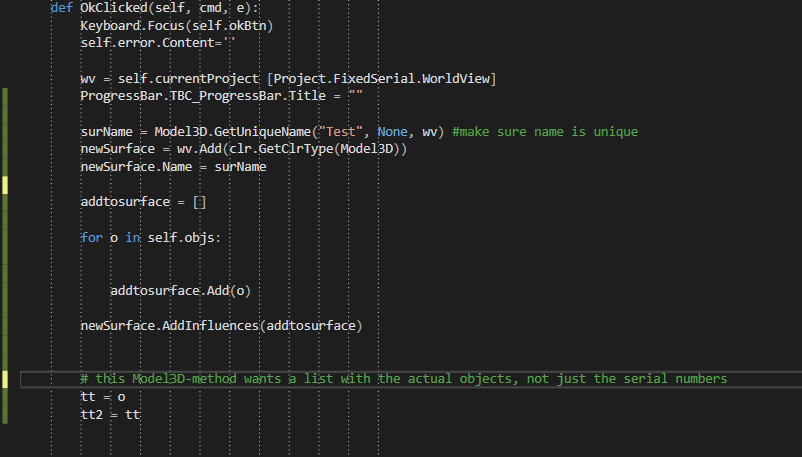
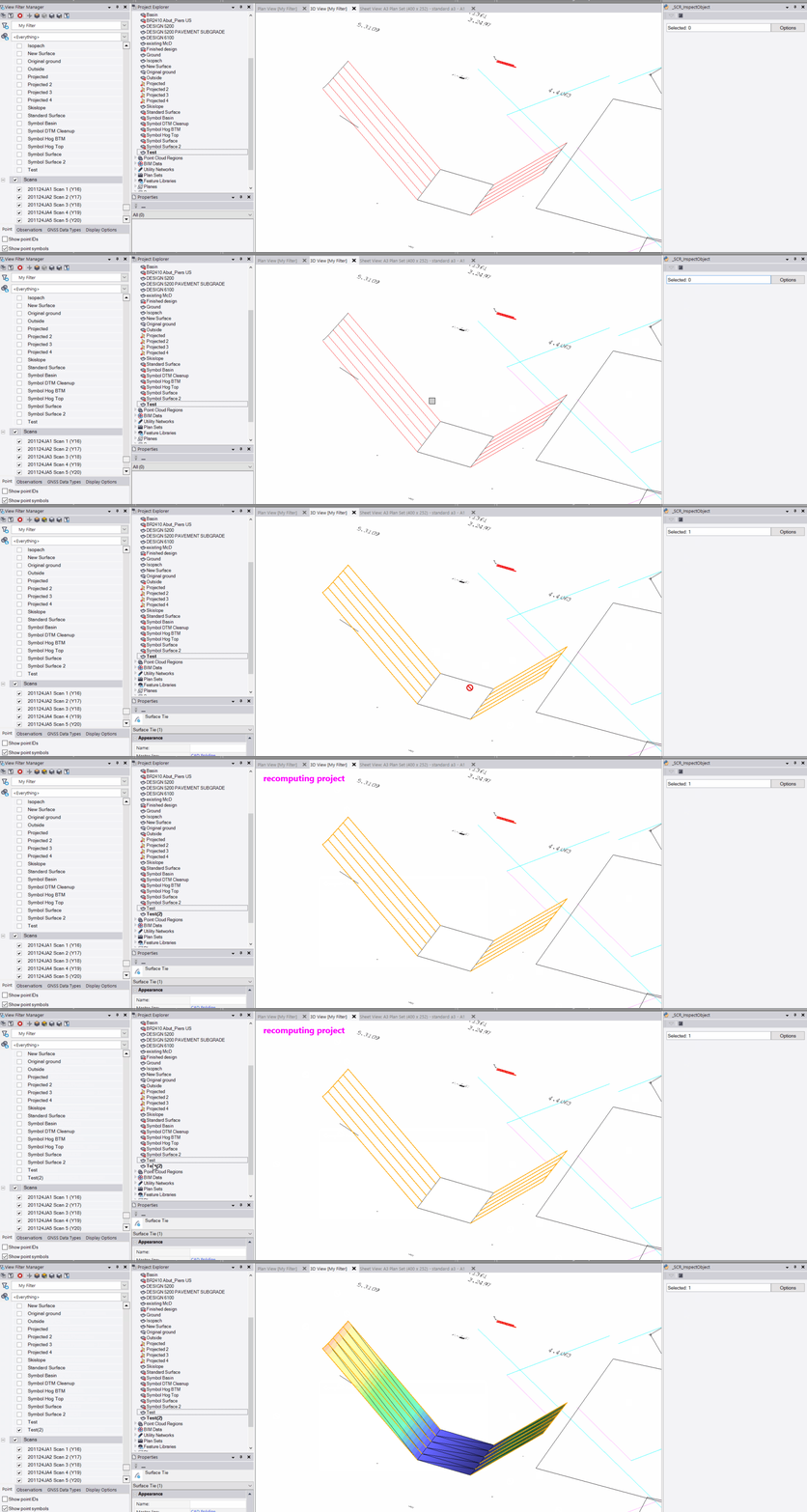
I've tested it now and my code works fine in Python.
For the rest I'm the wrong person to ask. I'm not a developer and have near to zero knowledge about C or C# and how they implement lists or variables.
------------------------------
Ronny Schneider
Original Message:
Sent: 02-07-2023 13:07
From: Morteza Kiani
Subject: How to Create Surface from Surface Tie
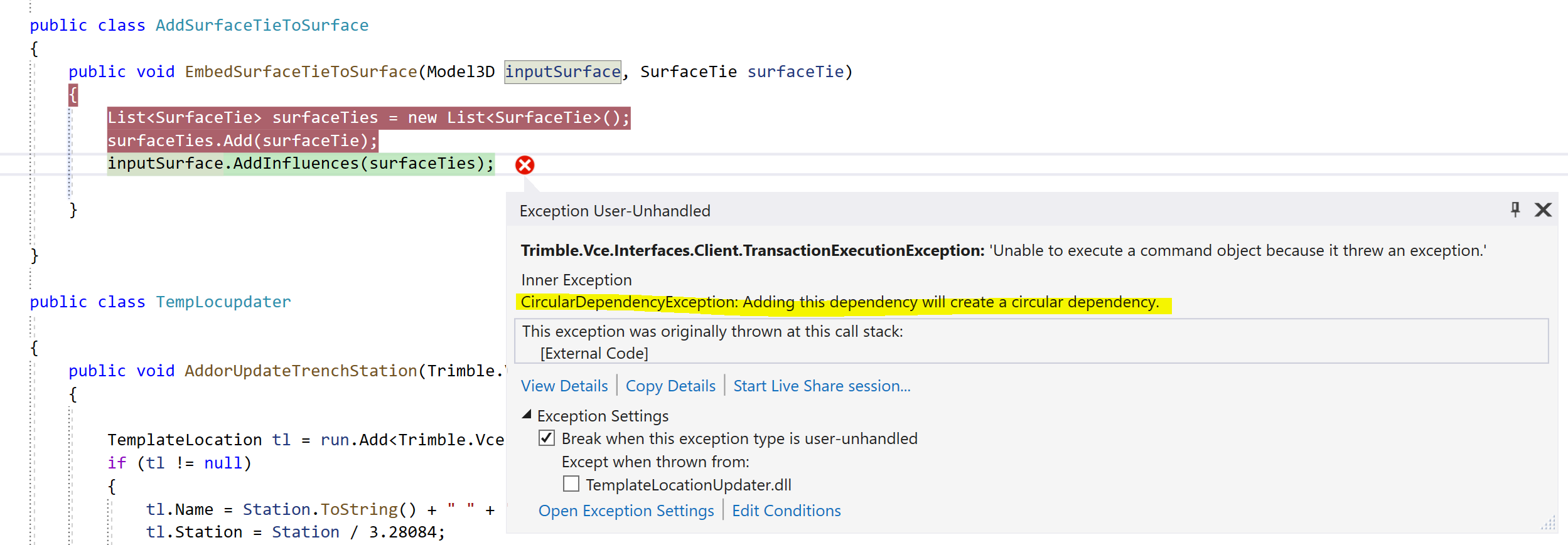
I also redid that in C# to get the exception type since Python didn't give me enough info about the source of the exception:
------------------------------
Morteza Kiani
Original Message:
Sent: 02-06-2023 19:03
From: Ronny Schneider
Subject: How to Create Surface from Surface Tie
Haven't tested it but I would assume it works the same way as adding breaklines to a surface.
addtosurface = []addtosurface.Add(ST)# this Model3D-method wants a list with the actual objects, not just the serial numbersselectedSurface.AddInfluences(addtosurface)
------------------------------
Ronny Schneider