Here's an example of how you can use the diagnostics / discovery macro. It's a bit contrived but hopefully you get the idea.
I have legacy data with this field code: SD1. This is a point code for a Shrub, Deciduous with a diameter 1. My current FXL has an SD code with a diameter attribute. I have lots of codes like this, so I want to stick a space between SD and 1 before processing feature codes and then remove the number at the end of the code and insert it as an attribute. However, I only want to do this for Point codes. Line codes like CU1 means a curve with a sequence number.
First, naive implementation with this result from the integration test run...
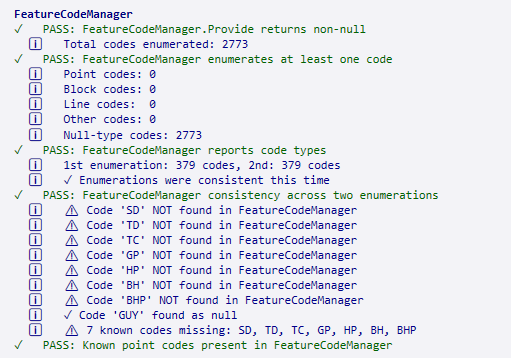 These aren't actually passes, because I don't have 2773 codes, there's no categorization, valid codes aren't found, etc. The value from this is the realization that I am getting the codes attached to the points, not the codes in the library. Well, how do I access the library? Let's make a diagnostic to explore the API. There's a lot of output so, it goes into a log file in the same directory as your TBC project. Since it's nearly 7,000 lines, we will let the AI chew on it. After a few minutes I get this.
FeatureSettings (Trimble.Vce.Core.Features.FeatureSettings) is the snap-in that holds:
• FxlBasedFeatureDefinitionBlock - the actual FXL library definitions (enumerable)
• FxlFilePath - "BlahBlahBlah.fxl"
• FeatureDefinitionBlock - merged definitions (enumerable)
This is where we should look, not FeatureCodeManager (which gives per-point observations with null types).
Let me add an exploratory integration test that discovers the FXL library API surface, then fix the test assertions. First, let me check existing imports:
After the tests are fixed, we get this
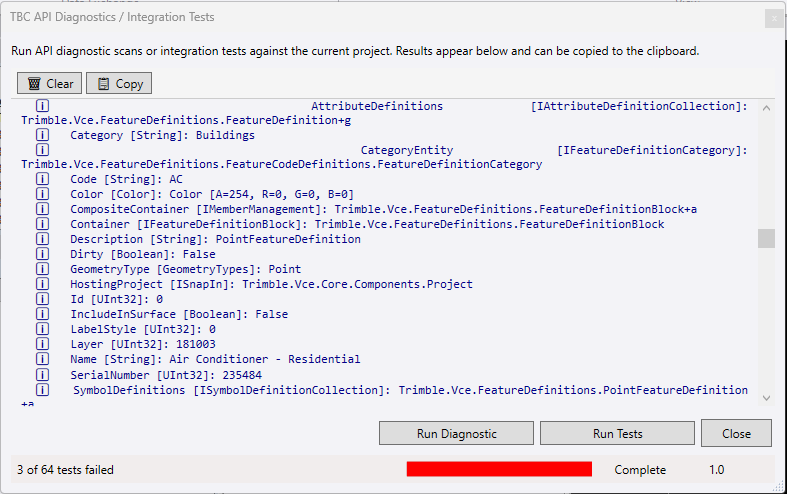 ... and after instructing it to update its CLAUDE file, the AI knows everything it needs to about Feature Code Definitions.
------------------------------
David Brubacher
------------------------------