Trimble Business Center

 View Only

 Lost Feature Codes After Merge Survey Projects

Scott Lehr's profile image
Scott Lehr posted 08-20-2024 19:51

Hello, 

I recently updated to TBC 2024.00 and 2024.01.  Now sometimes when I merge survey projects the merged in survey file is missing features codes. Typically for line feature codes.

Has anyone else experienced this?

SL

Ronny Schneider's profile image
Ronny Schneider

Most likely it's got something to do with the feature code processing bug they introduced in 2024.00.

First reports here in the forum from early July, hasn't been officially fixed yet. Maintenance fees are being well used. Never thought the paid for but stagnating Worksmanager could ever be challenged in that regard, but TBC is nearing rock bottom as well.

Trimble Business Center 2024 truncating feature codes | Trimble Business Center

TBC 2024 bugs - doesn't show Point Spreadsheet anymore | Trimble Business Center

Jonas Collier's profile image
Jonas Collier

Scott - Hope all is well (apart from this issue). Would you be willing to share a dataset that demonstrates this issue? It might help us narrow down where the problem is located in the software. 

Ronny - It is possible this issue was introduced with the implementation of the "one-code" feature and we'll take that into consideration. There are still a few items surrounding this feature that are being worked out. I believe the point spreadsheet issue was isolated to unique point name conventions and was fixed in 2024.10. As a previous end-user of the software, I understand your frustrations. But, the folks here at Trimble are working diligently to create new features and to automate testing for existing functions so that issues like this are reduced in the future. 

Scott Lehr's profile image
Scott Lehr

Hello Jonas, 

Thank you for your reply.  I have updated to the most recent TBC version 2024.10 and I am still having this issue. For most of my projects it makes the "Merge Survey Projects" command useless for me, and this is a major part of our data workflow. 

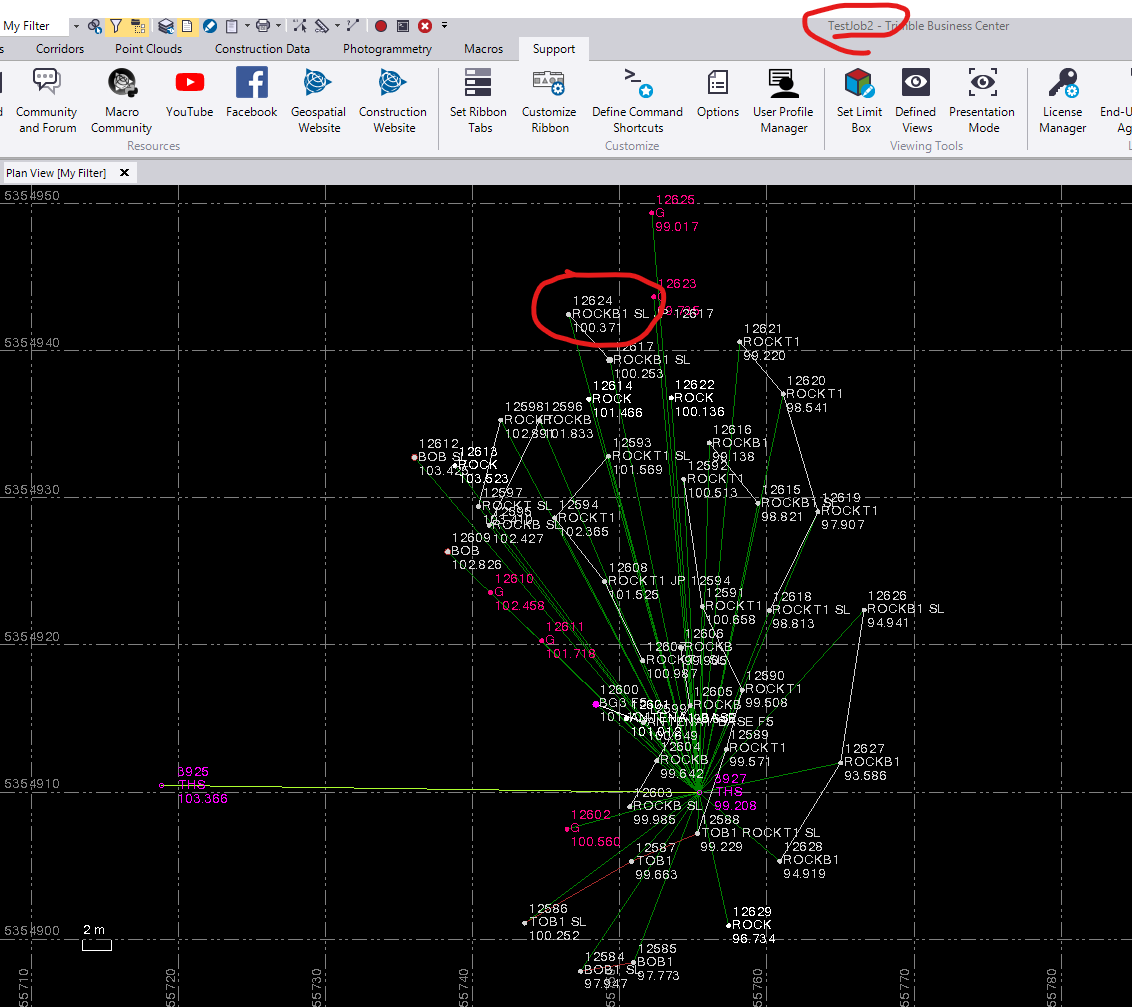
Below is a screen shot of Test Job 2 when the job file is imported directly into TBC. You can see the linework processes out correctly and Feature codes are populated for line features. 
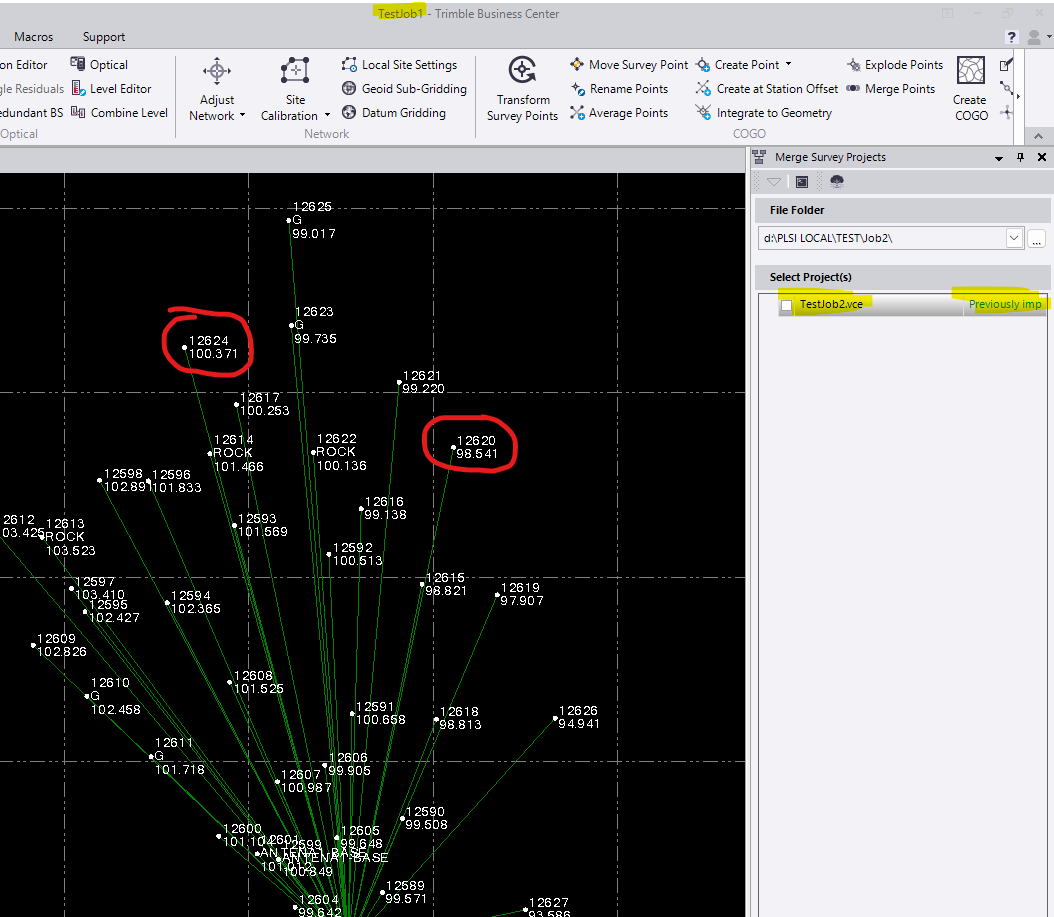
In the next screen shot you can see I am importing the above file into Test Job 1. Using the merge Survey projects command:

Points that are associated with a line feature code have the feature code completely removed.  However, points that are not a Line or Polygon related feature show up just fine.  In this example a "G" (Ground) Point shows up fine. 
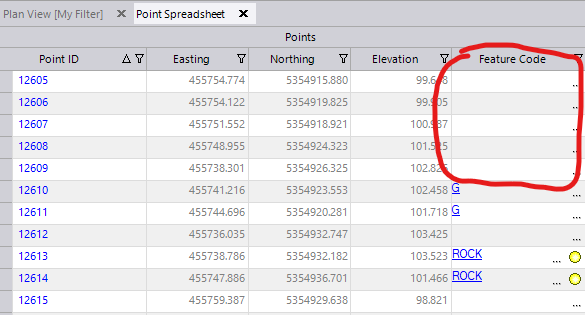
In the point spreadsheet you can see there are no feature codes after import. 
I have uploaded this example for your review. I have included test Job 1 & 2 when Processed independently. I then Included my merged result when trying to import Job 2 into Job1. 

Thanks for your time and I look forward to your findings. 

Cheers,

SL


Jonas Collier's profile image
Jonas Collier

Scott - Thank you for providing the dataset. I am able to reproduce this in TBC and have reported the issue internally. We will work to get this fixed. Apart from merging these projects in an earlier version of TBC or re-importing these files directly, I might suggest using the "Add Reference File" command. This will allow to display what is missing with the merge function. Note that you won't be able to edit/export the referenced data.

If editing/exporting the reference file is required you might be able to run "Copy Objects" after referencing but have not tested this thoroughly.